
Travel plans
Name a trip, pick destinations, set dates, add a banner. That's the entire setup — edit anything afterwards, no wizard required.
The core of Plan To Travel is a live map that fills up as you plan. Every destination, transport leg, accommodation, and activity gets a pin — and you watch your itinerary take shape before you've even left.
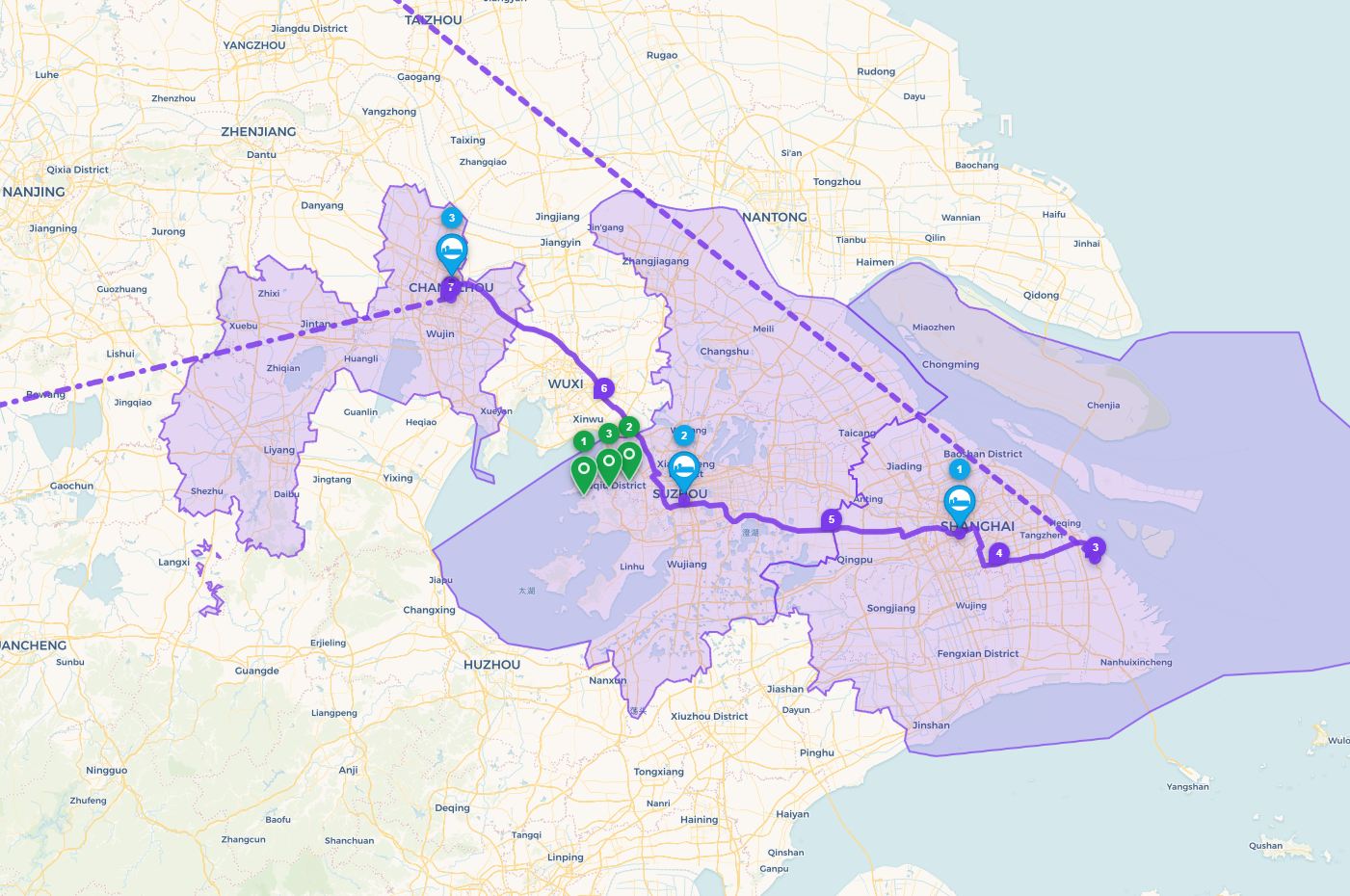
The moment you save a destination, accommodation, or activity, a pin drops on the map at its exact location. Transport routes are drawn as lines between your from and to locations — so the route of your entire trip becomes visible as you build it.
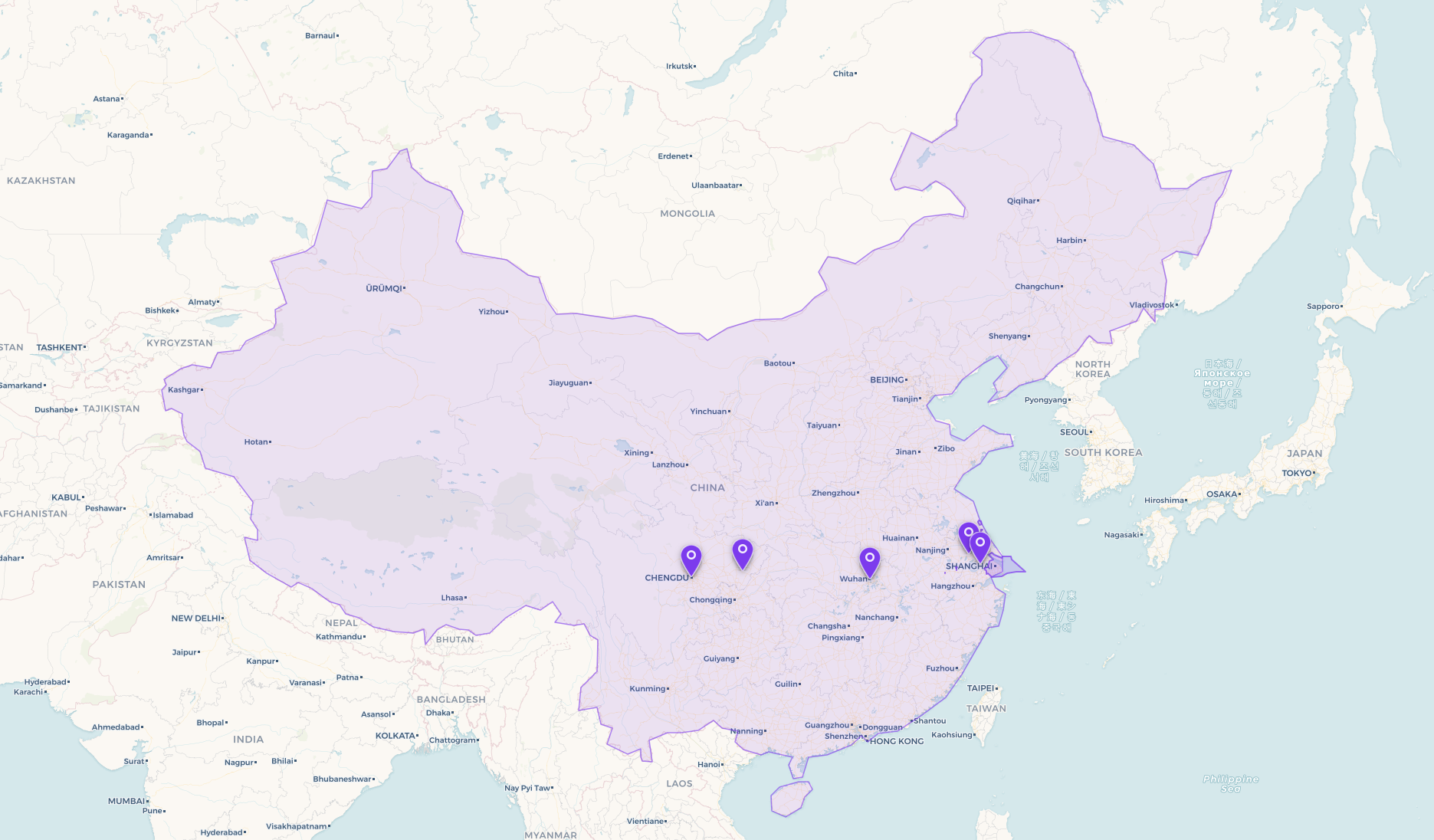
When you add a destination, the app fetches the boundary of that country or city district and draws it as a shaded overlay on the map. At a glance you can see exactly which regions your trip covers — and how they relate to each other geographically.
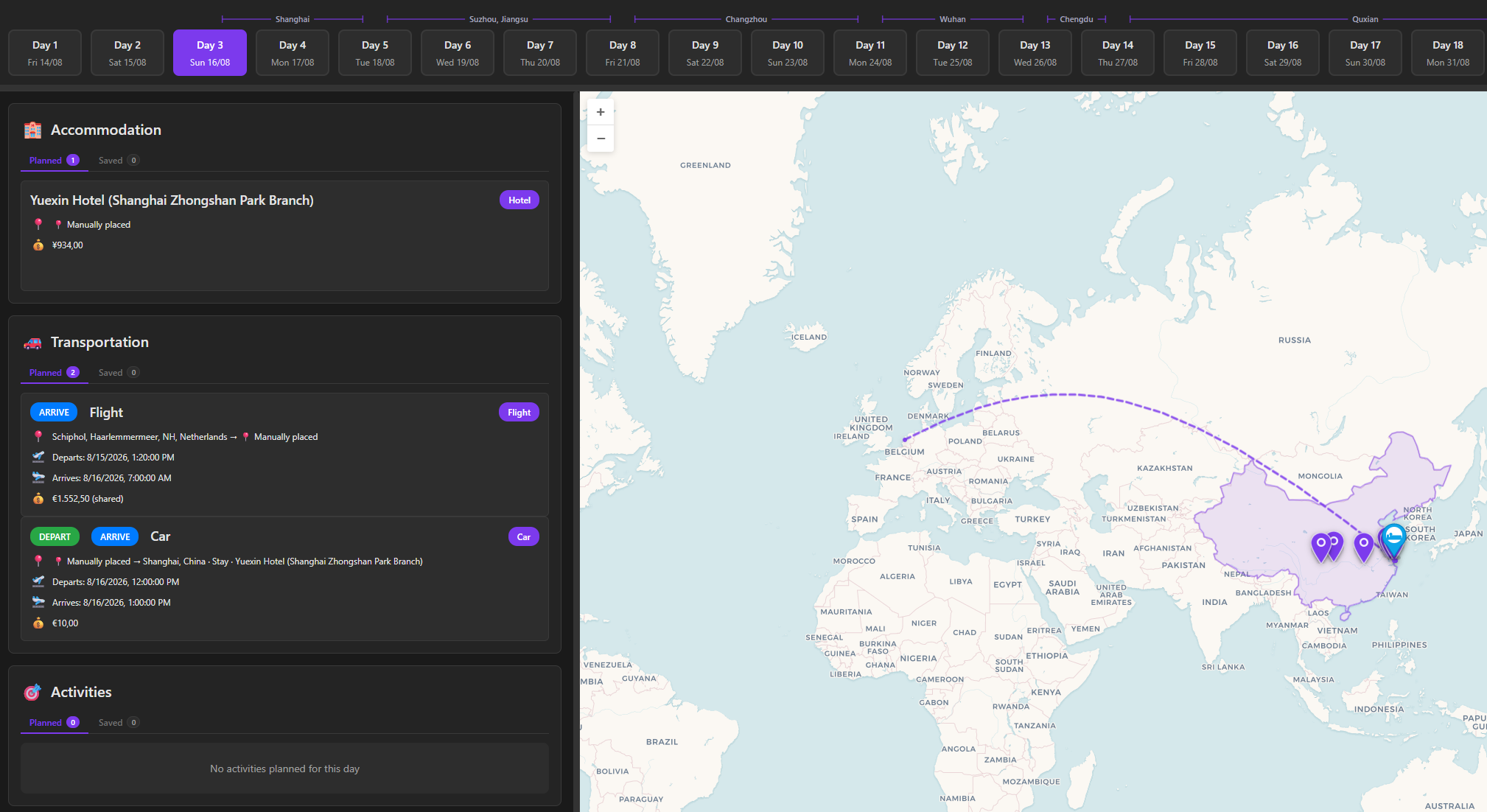
The Day View shows a chronological breakdown of every item scheduled for a selected date — check-ins, transport departures, activities, and their times. Navigate day by day or jump directly to any date using the date picker.
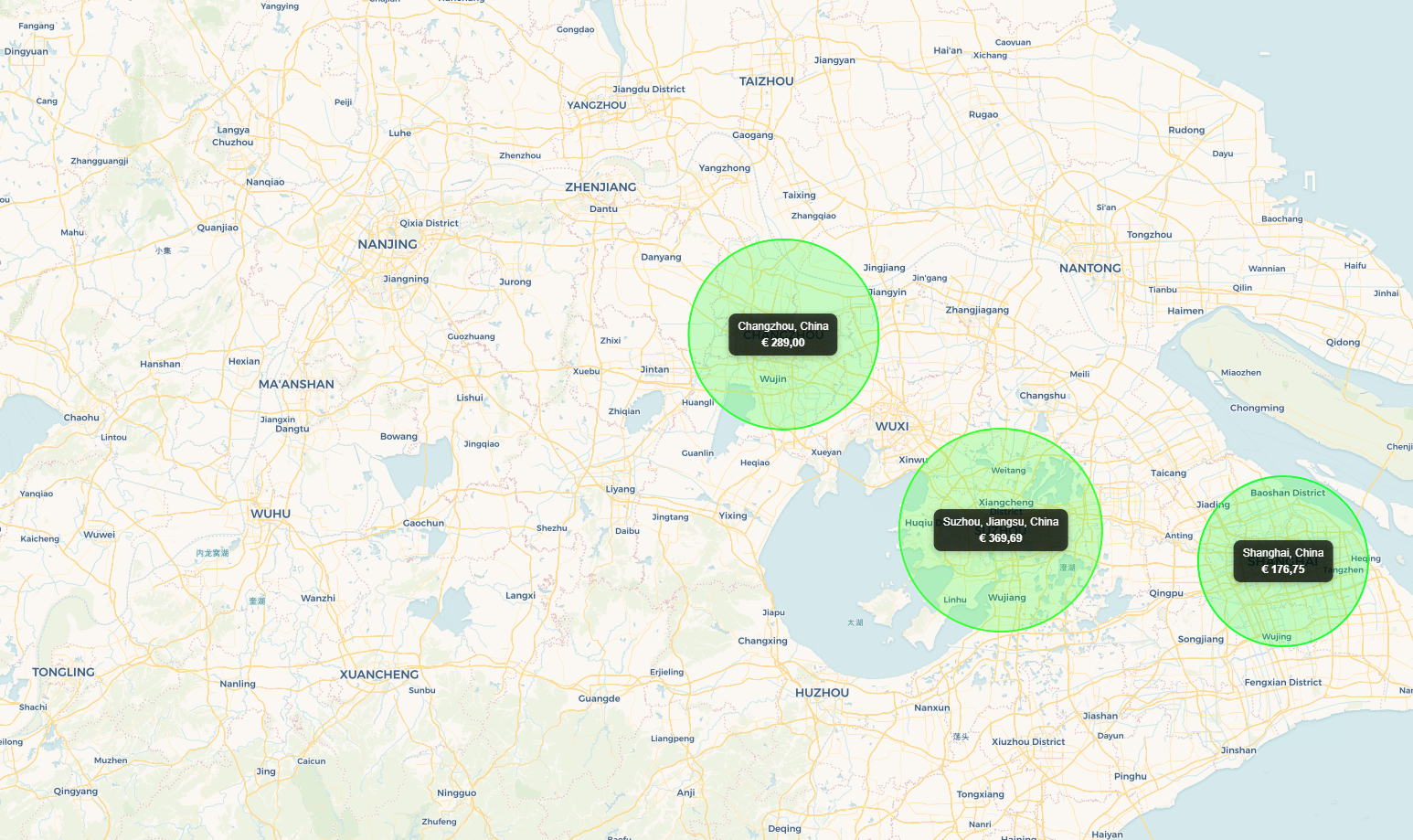
Switch to the Budget view and the map transforms. Each destination gets a circle sized by its total cost — the bigger the circle, the more you're spending there. A colour gradient from green to red shows relative spend at a glance. All amounts are converted to your base currency automatically.
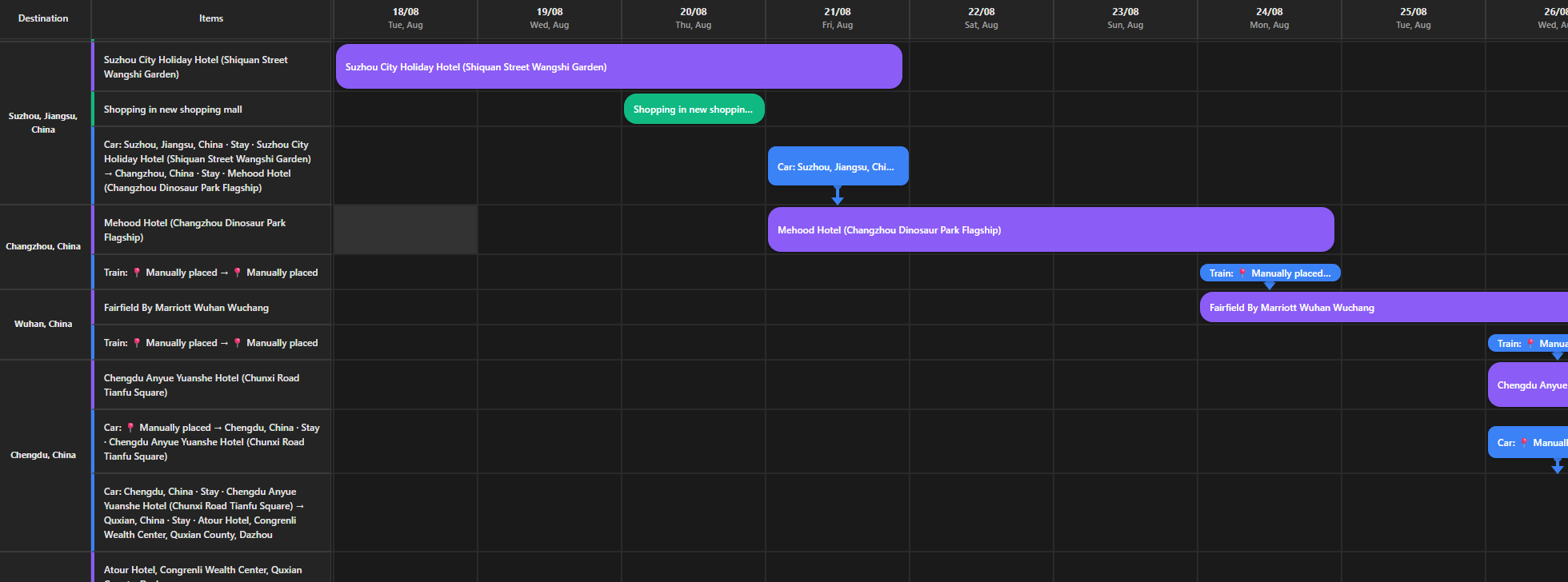
The Itinerary tab shows all your items as colour-coded pills on a horizontal timeline spanning your full trip. Drag a pill left or right to reschedule it. Drag its edge to change its duration. Filter by category. Zoom in for daily detail or zoom out for a trip-wide overview.
Each transport leg, accommodation, and activity can have its own currency. Set your base currency in the plan settings and add any extra currencies with their exchange rates. The budget dashboard converts every cost into your base currency so the totals always make sense — no spreadsheet required.
Alongside the views above, these are the building blocks that make each plan work.
Name a trip, pick destinations, set dates, add a banner. That's the entire setup — edit anything afterwards, no wizard required.
Add every destination you will visit. The map shows pins, routes, and country highlights — your whole journey in one view.
Create detailed items for each leg — flight, train, hotel, hike. Link them to destinations. Costs roll up automatically into the budget.
Built-in Pexels search — millions of free stock images. Every plan and destination gets a face that captures the feeling of the place.
No account needed — everything stays in your browser. Sign in to sync across all your devices. Your choice, any time.
One click downloads your plan as a portable file. Back it up, share it, re-import it anywhere. It is your data — always.
The next trip starts with an empty plan and a name. Takes ten seconds.